What I got wrong
I started with ordinary notifications. They were technically correct and practically invisible—the same problem I was trying to solve.
World 1-1 · ★ SHIPPED
I built MeetingNudge after turning up 11 minutes late to my own sprint planning. The calendar had warned me once, quietly, behind the window I was working in. I wanted a reminder I couldn’t accidentally ignore.
Role
Design + Build
Platform
macOS (menu bar)
Engine
Swift + EventKit
Data model
On-device
The whole loop
1 · Keep it visible
The next meeting and a live countdown sit in the menu bar, where I can see them without opening a calendar.
2 · Find the door
MeetingNudge checks the event’s URL, notes and location for Zoom, Meet, Teams or Webex links.
3 · Be impossible to miss
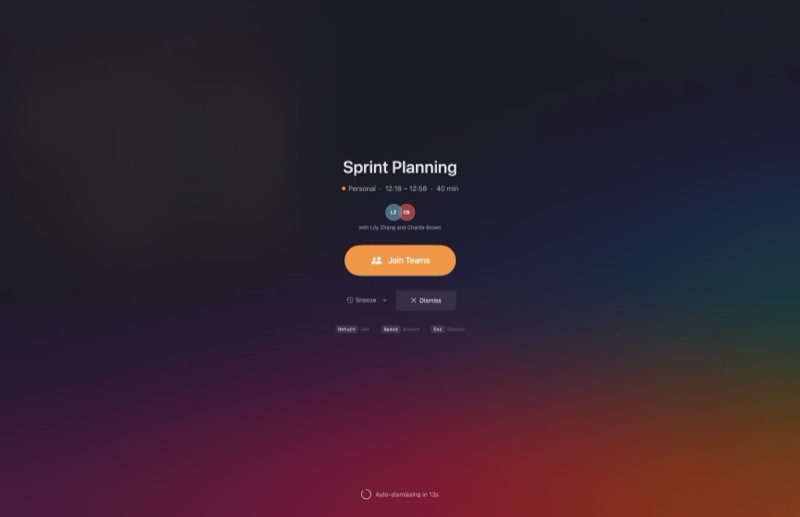
When the meeting starts, the optional overlay takes over every display until I join, snooze or dismiss it.
Power-ups
Finds Zoom, Meet, Teams and Webex links in the event URL, notes or location, then gives me one clear Join button.
An optional full-screen reminder across every display. Join, snooze or dismiss without hunting through windows.
The next meeting and its countdown stay one glance away, with reminder times I can set per my own tolerance for panic.
Calendar access stays on the Mac. EventKit supplies read-only events; UserDefaults stores preferences. There is no account or analytics layer.
Developer notes
What I got wrong
I started with ordinary notifications. They were technically correct and practically invisible—the same problem I was trying to solve.
The fiddly bit
Conference links turn up in several event fields and several formats. Link detection needed real calendar mess, not a tidy demo event.
The useful constraint
Keeping everything on-device made the privacy story simpler and forced the app to work without an account, sync service or backend.
Level complete?
MeetingNudge is still on its way to the App Store. The support and privacy pages are already here if you want the detail.